


-
What methods do you use to record sound and video separately and then combine them into a final video with synced audio?
-
11-06-2025 03:26 PM

-
I record the audio (via a Focusrite interface) into Reaper (DAW software) on my computer. At the same time, I film the video with a Panasonic Lumix compact camera on a tripod.
The camera came with a handy app which lets me view and remote-control it from my phone or ipad, this saves a lot of time getting the viewpoint right, and stopping/starting the video without having to stand up, put my guitar down, etc.
Since the camera also records audio, I simply transfer the video file into Reaper, align the 2 audio tracks to get everything in sync, mute the camera audio track, then do simple edits in Reaper, i.e. trim the video and add fade-in or out if necessary. (Reaper can do basic video editing, it’s a bit fiddly but not that much).
Finally I output the project from Reaper as an mp4 video file.
-
If you are using a backing track, I guess than you would add the backing track as a second audio track. I have used audacity for recording. I suppose it can do this sort of thing also.
 Originally Posted by grahambop
-
I use a webcam and a Boss GT1.
I record the video on Filmora with the direct audio on, and then simultaneously record on Logic, where I have imported the backing track (if I’m using a play along) - usually Quartet or something from YouTube.
That’s what’s giving me the playback that I’m playing with.
I synch one with other and print.
Sent from my iPhone using Tapatalk
-
Yes audacity can do multiple audio tracks, that’s what I used to use for audio recording before I got Reaper. Originally Posted by Tal_175
-
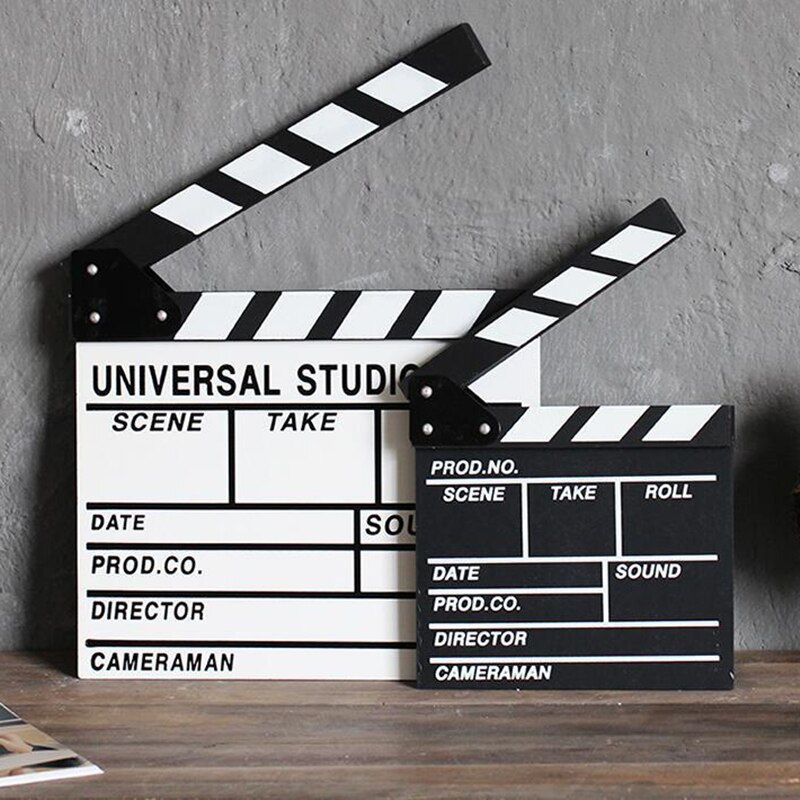
I have a loud click or clap at the beginning of each track (Audio or Video), so so I can lineup the multiple tracks.
You could get a Clapper Board. (And, a glamourous assistant. )
)
-
If I’m using a backing track, there’s usually a 2-bar count-in/click before it starts, so it’s easy to align the tracks using that sound.
If I’m playing solo guitar, it’s just wherever the first note is heard on both tracks!
-
I did a short video showing my process. I use a webcam through OBS while also recording audio in Reaper. Then I use Reaper as my video editor. And, of course, I can have all sorts of other tracks recorded in Reaper including a backing track and do multiple split screen videos also.
Last edited by fep; 11-07-2025 at 11:29 AM.
-
I use GarageBand for audio. For video I usually use a webcam (sometimes the one built into my laptop, sometimes an external one) into Quicktime, or sometimes my phone. I then pass the video through Handbrake (video conversion software) to ensure that it's at the correct fixed frame rate (because variable frame rate video won't sync correctly in iMovie). I then import both video and DAW-audio into iMovie. I do the syncing by sliding the DAW-audio track around until its waveform is aligned with the waveform of the audio captured by the camera, then I turn the camera-audio off. I used to follow the advice to make some sort of loud noise at the beginning (clap, hitting a chord sharply, etc.), but ultimately have not found it to make it any easier than just lining up the audio waveforms by eye. I'm sure there's a smarter way to do it (especially by using more sophisticated video software), but it works. Originally Posted by Tal_175
Last edited by John A.; 11-07-2025 at 04:34 PM.
-
Me too, I don't use a clap and am able to get it to line up pretty quickly as shown in the video I posted. Originally Posted by John A.
-
Yes this business of syncing the audio is very easy really, only takes less than a minute however you do it.
Certainly a lot easier than playing the guitar well enough to make a good video!
-
all the workflows I’ve read through above seems so freaking complex and overly and unnecessarily complicated.
For me the best compromise between quality and simplicity is to connect my DPA 4099 through a focusrite right to my Mac and then using camera companion shoot the video with my iPhone. Using QuickTime I can record the great video off my camera and the great audio from the DPA 4099. Of course you can use any dynamic mic also.
what could be easier send right to YouTube?
-
If all you're doing is capturing the acoustic sound of your guitar, I'd say even what you're doing is overkill. Just the use internal phone mic or plug an external mic into it and do to all on the phone. I often do it that way. But there are reasons to record audio separately. Originally Posted by pawlowski6132
For example, if you're using an electric guitar with a backing track and want to be able to capture the guitar audio in the same space as the backing track, mix the two, and add an amp plugin or other effects to the guitar you need a way to combine that audio with the video. Or even if you're just capturing the guitar direct and (for whatever reasons, e.g., don't want to make noise, prefer that sound, etc.) want to use computer based plugins/effects, you still need a way to combine it with the video.
Exactly how you combine video and audio (simple, complicated, somewhere in between) depends on what you're actually trying to do and what tools you have. Simple is good, but sometimes simple isn't what you need.
-
yes, we’ll put Originally Posted by John A.
-
I’ll clap and use that for a rough alignment. But my video software has a function to align tracks based on audio that does a better job than I do. Obviously it has to be the same audio.
-
Frank is my audio guru, though I'm several years behind him.
Today I made a video for a lesson with Robert Conti and used Band in a Box backing track (Green Dolphin Street) and a guitar into Reaper. I recorded video with my iPhone.
Put the video into Reaper and turned its audio off.
Synced up the audio with the video.
Rendered it to an MP4 file and emailed it Conti.
It's a straightforward process. Though as it happens, I am not a straightforward person, so this takes me longer than I should. But in time, through repetition, it will become automatic.


 Reply With Quote


JJ music sales Ontario canada
Today, 04:01 PM in For Sale