


-
Class I and Class II Equipment Explained
More than you want to know...
-
06-18-2025 04:41 AM

-
At your own risk: you see the Double Square symbol on the back panel of the Eris 3.5? Attach a yellow/green wire to the closest screw to the symbol that mounts the 2-pin power socket to the back panel. Unscrew it a little and screw the ground wire down. Attach the other end to the ground tab of the Schuko wall socket with an alligator clip or some such. I assume that you know what that ground tab is.
As a precaution, wear thick rubber gloves and rubber boots, standing a thick rubber mat on dry ground when you try this.
Not responsible for any electrical shock or death arising from following dumbass instructions garnered from an internet forum.
Take good care, Stefan. Common sense and all that. Auf Wiederhören.
-
I‘ve got a Macbook Air M4, I doubt there is a different power cable available. My next try will be a DI Box, curious if that may help.
 Originally Posted by Jabberwocky
Ha, and no, I don‘t fool around with high voltage electricity ;-)
-
All Macbooks power bricks have a pin adapter that slides off; this enables Apple to supply different pin configurations for different parts of the world with the same power brick. Your Macbook M4 Air uses a 70W power brick. Push up on the pins and the adapter slides off. You replace it with this:

Originally Posted by Stefan Eff
-
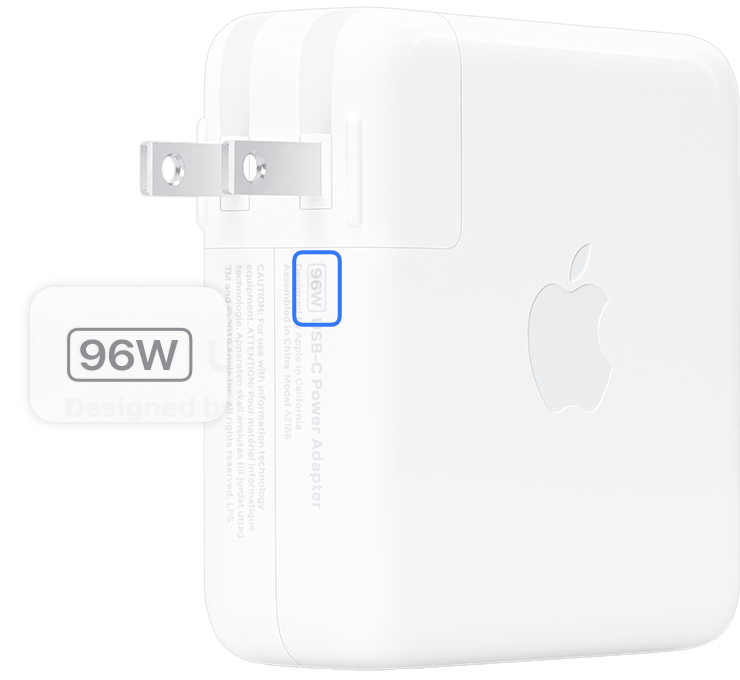
The part with the 2 power pins slides off when you push up on it. All Macbook power bricks have this detachable part. The extension power cord slots in in its place.
-
I‘ve tried a passive DI-Box with a „ground lift“: the noise is completely gone and so is my tone

Sounds weak, sterile and quiet.
Maybe it‘s the wrong cable? Since I need the usual TLS cable for the Scarlett (the DI‘s got an XLR out) I used an old microphone cable for a first try: XLR from DI and TLS in Scarlett.
So far unusable
-
Yes, I agree, to get a good sound from a passive DI box, it needs to have a good transformer and they are usually expensive. I have tried many inexpensive passive DI boxes, they're on my shelf gathering dust. Originally Posted by Stefan Eff

-
Yes, but I guess it was my mistake- the signal from the DI-Box to the interface is too weak (Microphone), that‘s why the sound is killed. But the Noise was gone! Originally Posted by GuyBoden
I‘ll try a 2-channel hum suppressor between interface and speakers: curious if that will finally solve the problem!
-
Silly question but, Does anything sound clean in the speakers? Originally Posted by Stefan Eff
Your monitors allow for a phone or mac (w 1/8") to connect directly, have you tried this?
S
-
Yes, they work perfect. It is definitely a ground problem. Originally Posted by SOLR
-
Thanks man, problem solved! Originally Posted by Jabberwocky
Totally silent.
I didn't really want to leave the MacBook plugged in all the time, but there's an app that pre-selects the charging current (e.g. at 75%), which is certainly better for the battery.
Thanks again!
-
How did you solve it? Originally Posted by Stefan Eff
Might help others......
S
-
Grounded power cord on the Macbook. Originally Posted by SOLR



 Reply With Quote


Got some picking exercises?
Today, 01:17 PM in Guitar Technique